Progressive Web Apps: The Game-Changer in Mobile Marketing
Progressive Web Apps (PWAs) merge the reliability of native apps with the accessibility of the web, enabling instant loading, offline access, push notifications, and add-to-home-screen functionality. For marketers, PWAs improve engagement, retention, and SEO, while reducing development costs. Implementing best practices unlocks measurable mobile marketing growth and enhanced user experiences.
As mobile devices become the primary gateway to digital experiences, businesses are under pressure to deliver fast, engaging, and reliable web interactions. Progressive Web Apps (PWAs) have emerged as a breakthrough solution that combines the reach of the web with the performance of native apps.
Progressive Web Apps (PWAs) are advanced web applications designed to deliver a native app-like experience directly through a browser. Unlike traditional websites that rely on continuous internet connectivity and often load slowly, PWAs are optimized for speed, reliability, and interactivity. They can load instantly, function offline or on poor network connections, and provide engaging features such as push notifications, background updates, and home screen installation.
PWAs leverage key modern web technologies to achieve this functionality: service workers manage caching and offline behavior, web app manifests define how the app appears on devices, and HTTPS security ensures safe data transmission. These technologies allow PWAs to combine the accessibility of the web with the performance and usability of native apps. Users can interact with PWAs without visiting an app store, reducing friction in adoption and increasing engagement.
Additionally, PWAs are responsive and mobile-friendly, meaning they adapt seamlessly to any device screen size—from smartphones to tablets to desktops. This universality allows businesses to reach more users with a single application while maintaining a consistent, high-quality experience across platforms. By removing barriers to installation and ensuring fast, reliable performance, PWAs have become an essential tool in modern mobile marketing and digital engagement strategies. Learn more about Benefits of Mobile Marketing.
Why PWAs Matter for Mobile Marketing

In a landscape where user attention spans are shrinking, page speed and reliability are critical. Studies show that a one-second delay in load time can lead to a 7% reduction in conversions. PWAs address this challenge by caching content locally and delivering instant page loads. Moreover, push notifications enable timely re-engagement, driving repeat visits and loyalty. For marketers, PWAs also offer improved SEO potential compared to native apps, since content is indexable by search engines. Ultimately, PWAs bridge the gap between web and app, creating new opportunities for customer engagement and conversion optimization. Learn more about Progressive Web Apps
Key Benefits of PWAs for Marketers
- Instant Loading: PWAs leverage service workers to cache critical resources, allowing pages to load almost instantly, even on slow networks. This reduces bounce rates, keeps users engaged, and increases the likelihood of conversions, as users are less likely to abandon a site that loads quickly.
- Offline Functionality: PWAs allow users to continue browsing content and performing actions even when they lose internet connectivity. This ensures consistent engagement for users on the go, improves accessibility in low-network regions, and maintains uninterrupted interactions with your brand.
- Push Notifications: Businesses can re-engage users with timely, personalized push notifications. These messages can promote new products, special offers, or updates, helping to boost user retention, encourage repeat visits, and extend average session durations. Notifications can also be segmented by user behaviour to increase relevance and effectiveness.
- Add-to-Home-Screen: PWAs can prompt users to install the app directly on their device home screens. This improves brand visibility, provides easy access for repeat visits, and eliminates the friction of app store downloads, making it simpler for users to engage regularly with your content.
- SEO Advantages: Unlike native apps, PWA content is fully indexable by search engines. Combined with fast load times and mobile optimization, this improves search rankings, drives organic mobile traffic, and enhances discoverability for new users searching for relevant products or services.
- Cost Efficiency: PWAs require only a single codebase to deliver both web and app experiences. This reduces development and maintenance costs compared to building separate native apps for multiple platforms, while still providing a feature-rich, app-like user experience.
Enhancing User Engagement with PWA Features
Enhancing User Engagement with PWA Features
Beyond their core performance advantages, PWAs provide marketers with tools to create highly engaging, personalized experiences that drive conversions and build loyalty.
Segmented Push Notifications: Push notifications are not just reminders—they can be tailored based on user behavior, preferences, or past interactions. For instance, users who abandoned a shopping cart can receive a targeted reminder, while frequent visitors might get exclusive offers or content updates. Segmentation ensures that messages are relevant, increasing the likelihood of clicks and repeat engagement.
Geolocation and Context-Aware Messaging: PWAs can leverage geolocation APIs to deliver context-sensitive messages. Retailers can alert nearby users about in-store promotions, while travel or hospitality brands can provide location-based recommendations. This real-time, personalized approach helps brands connect with users in the right place at the right time.
Background Sync: Background sync allows user actions to be stored and processed even if the device is offline. For example, adding items to a cart or submitting a form will automatically sync once connectivity is restored. This eliminates friction in the user journey, reduces frustration, and ensures that actions are completed seamlessly, enhancing overall satisfaction.
Interactive and Dynamic Content: PWAs can offer dynamic content such as product recommendations, personalized dashboards, or interactive tutorials. By updating content in real time based on user behavior, marketers can maintain relevance, encourage exploration, and guide users toward conversion points.
Loyalty and Retention Features: PWAs can integrate loyalty programs, gamified experiences, or reward notifications that incentivize repeat visits. These features, combined with instant load times and offline accessibility, increase engagement frequency and strengthen the relationship between the user and the brand.
Analytics and Behavioral Insights: Every interaction within a PWA can be tracked to gain insights into user behavior, engagement patterns, and preferences. Marketers can use this data to refine campaigns, optimize messaging, and continually enhance the user experience, creating a cycle of data-driven engagement and improvement.
By combining these features, PWAs allow marketers to craft cohesive, relevant, and highly personalized experiences that keep users engaged, foster brand loyalty, and increase lifetime value.
Implementing PWAs in Your Mobile Marketing Strategy
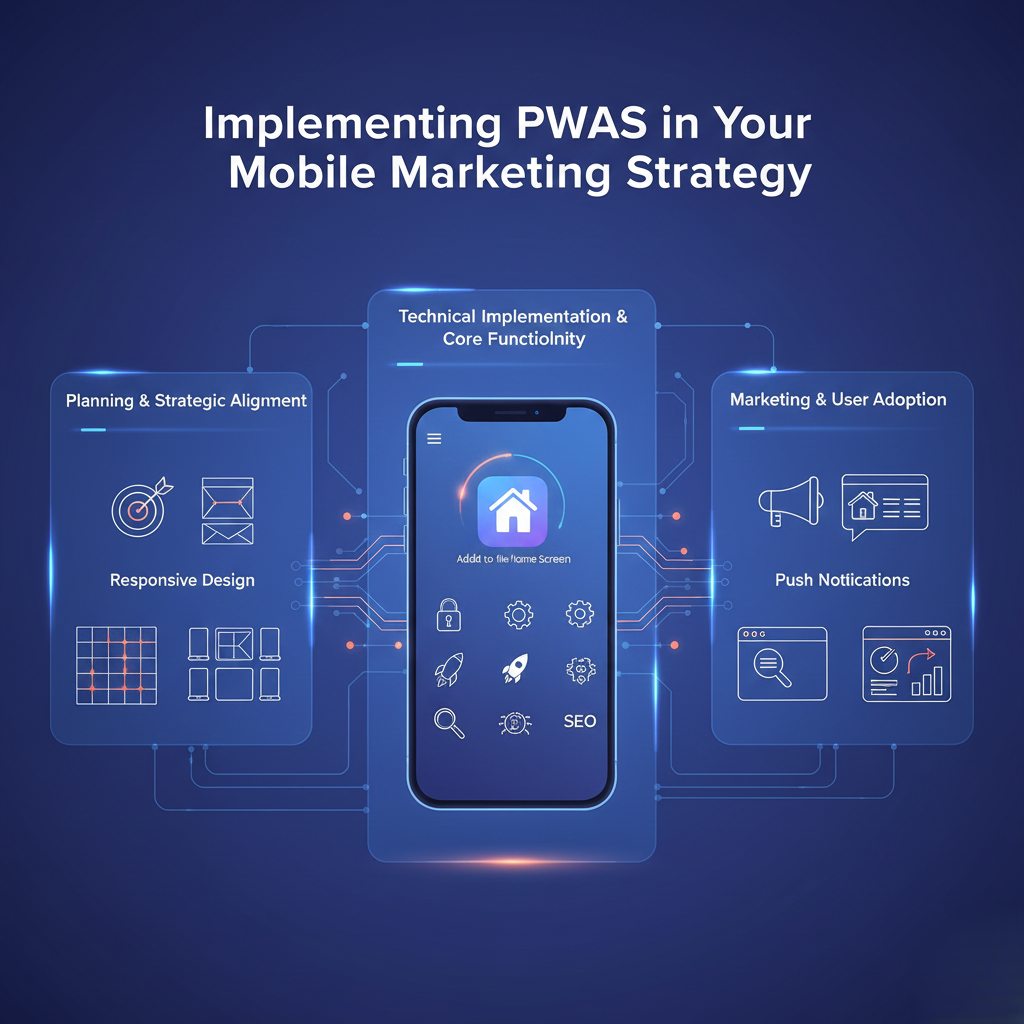
Integrating a Progressive Web App begins with a thorough assessment of your existing mobile website. This audit should identify performance bottlenecks, broken links, slow-loading pages, high-exit or bounce-rate pages, and any gaps in user experience. Understanding these weaknesses provides a roadmap for how the PWA can enhance performance, engagement, and conversions.
Next, choose a PWA framework or library that aligns with your technical expertise and business goals. Popular options include Workbox for caching and service worker management, Angular PWA for Angular-based projects, and Ionic for hybrid web-app development.
Key Implementation Steps:
-
Configure HTTPS:
Ensure all assets, pages, and APIs are served over secure HTTPS connections. HTTPS is a requirement for service worker registration and ensures that all communications between the user and server are encrypted. It also builds trust with users and improves SEO. -
Register a Service Worker:
Service workers are scripts that run in the background and handle caching, offline functionality, and background sync. Build caching rules for static and dynamic content, define strategies for stale-while-revalidate or network-first caching, and implement logic to sync user actions once connectivity is restored. -
Create a Web App Manifest:
The web app manifest defines how your PWA appears and behaves on user devices. Configure app icons, theme colors, display modes (fullscreen or standalone), and orientation preferences. This enables the “Add-to-Home-Screen” feature, enhancing brand visibility and repeat engagement without app store friction. -
Optimize for Performance:
-
Minify JavaScript, CSS, and HTML to reduce load times.
-
Implement lazy loading for images and videos to improve initial render speed.
-
Ensure responsive design across all devices and screen sizes.
-
Use tools like Lighthouse to measure and optimize performance metrics like Time to Interactive (TTI) and First Contentful Paint (FCP).
-
-
Implement Push Notifications:
Integrate a push service, such as Firebase Cloud Messaging, and design targeted notification workflows. Segment users based on behavior, preferences, or location to send relevant offers, updates, and reminders. Personalization increases engagement, conversion rates, and brand loyalty. -
Test Thoroughly:
Conduct multi-level testing across performance, usability, accessibility, and PWA compliance. Use:-
Lighthouse for PWA audits and performance scoring.
-
WebPageTest for network and loading diagnostics.
-
Real-device testing to ensure offline functionality, push notifications, and home-screen installation work seamlessly.
-
-
Monitor and Iterate Post-Launch:
Once the PWA is live, continuously monitor analytics such as service worker registration rate, offline interactions, push opt-ins, retention, and conversions. Use this data to refine caching strategies, notification workflows, and UX elements for ongoing optimization.
Additional Tips for Marketing Success with PWAs:
-
Promote the “Add-to-Home-Screen” option through banners, in-app prompts, or incentives.
-
Use A/B testing for push notification content and timing to maximize engagement.
-
Leverage geolocation features for context-aware campaigns.
-
Regularly update content and visuals to keep the PWA experience fresh and engaging.
By following this structured approach, businesses can transform their mobile presence, provide app-like experiences, and drive measurable marketing outcomes without the cost and friction of traditional native apps.
Best Practices for PWA-Based Mobile Marketing
- Personalize Notifications: Segment users by behavior, location, and preferences to deliver relevant content.
- Design for Engagement: Use clear CTAs, compelling visuals, and intuitive navigation to guide user journeys.
- Monitor Analytics: Track PWA-specific metrics like service worker registration rate, offline interactions, and prompt acceptance rates.
- A/B Test Features: Experiment with different push copy, add-to-home-screen triggers, and caching strategies to optimize results.
- Maintain Accessibility: Ensure your PWA meets WCAG standards for inclusive experiences across all audiences.
Real-World Case Studies
Leading brands across retail, media, and travel have harnessed PWAs to drive mobile growth. For example, a global retailer reduced load times by 50% and saw a 30% increase in conversion rates after launching a PWA. A news publisher doubled reader engagement by delivering push notifications for breaking stories and enabling offline reading. In travel, a booking platform decreased abandonment in low-connectivity regions by offering offline search and booking capabilities. These success stories demonstrate the tangible ROI of PWA adoption in diverse industries.
Overcoming Common Challenges
While PWAs offer numerous benefits, teams may encounter obstacles such as browser compatibility, push notification opt-in rates, and caching complexity. To address these issues:
- Polyfill Support: Use libraries to enable PWA features in older browsers.
- Opt-In Incentives: Educate users on the value of enabling notifications or installing the app through in-app prompts and clear copy.
- Cache Strategy Audits: Regularly review service worker logic to prevent stale content and ensure seamless updates.
The Future of PWAs in Mobile Marketing

Looking ahead to 2025 and beyond, PWAs will integrate emerging technologies like artificial intelligence, augmented reality, and voice interfaces. Imagine a PWA that adapts content in real time based on AI-driven user profiles, or that presents AR-enabled product previews directly in the browser. Voice-activated navigation will further streamline user journeys. By staying at the forefront of these innovations, marketers can leverage PWAs to deliver hyper-personalized, immersive experiences that drive growth and brand differentiation.
Conclusion
Progressive Web Apps represent a powerful evolution in mobile marketing, offering the speed, reliability, and engagement of native apps alongside the global reach and SEO benefits of the web. By understanding key benefits, following best practices, and embracing future advancements, businesses can unlock new levels of performance and customer satisfaction in 2025. Start your PWA journey today to stay competitive in an increasingly mobile-first world.
Ready to transform your mobile marketing strategy with PWAs? Audit your site, choose the right tools, and watch engagement and conversions soar.
FAQs on PWAs for Mobile Marketing:
1. What is a Progressive Web App (PWA)?
A PWA is a web application that delivers an app-like experience through modern web technologies, enabling offline use, push notifications, fast loading, and home screen installation without requiring an app store download.
2. How do PWAs improve mobile marketing performance?
PWAs boost engagement through instant load times, offline functionality, and push notifications. They also enhance SEO and conversion rates, provide cost-efficient development, and allow personalized, context-aware marketing strategies.
3. Can PWAs work offline?
Yes. PWAs use service workers to cache content and handle requests, enabling users to access key features and content even with limited or no internet connectivity.
4. How do push notifications work in PWAs?
Push notifications allow marketers to send timely, targeted messages to users based on behavior, preferences, or location, encouraging repeat visits, engagement, and conversions.
5. Do PWAs require app store submission?
No. PWAs run directly in the browser, avoiding app store approval processes while still allowing home screen installation for a native app feel.
6. Are PWAs SEO-friendly?
Yes. PWAs are indexable by search engines, and their fast load times improve search rankings, making them discoverable via Google and other search platforms.
7. What are common challenges when implementing PWAs?
Challenges include browser compatibility, caching management, and encouraging users to opt into notifications. Solutions include polyfills, cache audits, and clear prompts highlighting PWA benefits.
8. How do PWAs benefit user engagement?
PWAs provide seamless experiences, personalized notifications, offline access, and intuitive navigation, all of which drive longer sessions, higher retention, and repeat interactions.
9. Can PWAs replace native apps?
PWAs can complement or, in some cases, replace native apps by offering similar functionality without the overhead of app store development and maintenance.
10. What’s the future of PWAs in marketing?
PWAs will integrate AI, AR, and voice interfaces to deliver hyper-personalized, immersive experiences, driving higher engagement, loyalty, and revenue in mobile-first markets.